I do not want to spend any of my time using a mouse.
In a perfect world
( callback to the other time I say this ) I would love to be staring at my screen and manipulating the entire environment with purely my brain. Sadly, we are not there yet. The closest real alternative, the closest thing you can get to just controlling directly brain to machine, is keyboard driven workflows. Mice suck for immersion and keeping focus. You have to move your hands off the keyboard, grab the mouse, move the mouse around to aim at whatever you want to click on, click on the thing, and then move your hand back to the keyboard. That is a lot of movement to do one action on a computer. There are more efficient ways to go about life.
Options for me
There are a number of them, and they greatly vary in practicality, but let me be clear: Even though I use all of these, I still use a touchpad every once in a while. It is not efficient to do things with a keyboard that feel more natural to do with a touchpad, but each day I get more and more comfortable using exclusively a keyboard, and each day I stay more and more focused on whatever I am doing.
Tridactyl / Vimium C
These are addons for firefox / chrome which allow for you to navigate your browser entirely by keyboard. Tridactyl ( which is what I use ) has an integrated command line ( like vim ! ), vi bindings for navigation, and a hint mode. Hint mode allows for the sending of clicks to an element.
This is what hint mode looks like:
 You simply type the letters you want it to click on. It works really well.
I can use j and k like you would in vim for up and down scrolling, I can use H and L for back and forward in history, i can use b to list tabs and fuzzyfind for the tab I want to go to, I can use t to create a new tab and fuzzyfind for the link i want, I can use o to open a url in the current tab, etc.
It is a really nice system and I love it, but it is only my browser. There are other tools which I use which are not browsers.
for those you have to rely on the other options
Keynav / xmouseless / pymousemove etc
Allows for you to control the mouse itself through keyboard movements. Keynav does this by splitting the screen into sections and you use vi bindings to decide which section to go to, and you split until you get to a place where you want to click in the middle of. xmouseless and pymousemove do this through a layer like alt which you can hold it and then use wasd or ijkl to control your mouse like a video game character.
It is rare that I use any of these because i simply do not think of them. Enough of my programs are keyboard driven enough on their own that using a mouse is rare, so I don’t think to go to Keynav instead of my touchpad.
They are the best way to send mouse input to programs without proper keyboard support or convoluted bad keyboard support though.
Keyboard Driven by default programs
modal text editors like helix or vim / neovim are prime examples of this. You do not need a mouse to interact with them at all. A mouse wouldn’t even help. Terminals are also usually mostly keyboard driven. So are anything you are hosting yourself that has raw config files, as you can edit those in a modal text editor, and run the thing from a cli.
A lot of programs have TUIs made for them which allow for them to be keyboard driven. Using those makes life simpler.
Trackpoint / The Nipple / pointing sticks
Lenovo laptops have this red dot in the middle of the keyboard : 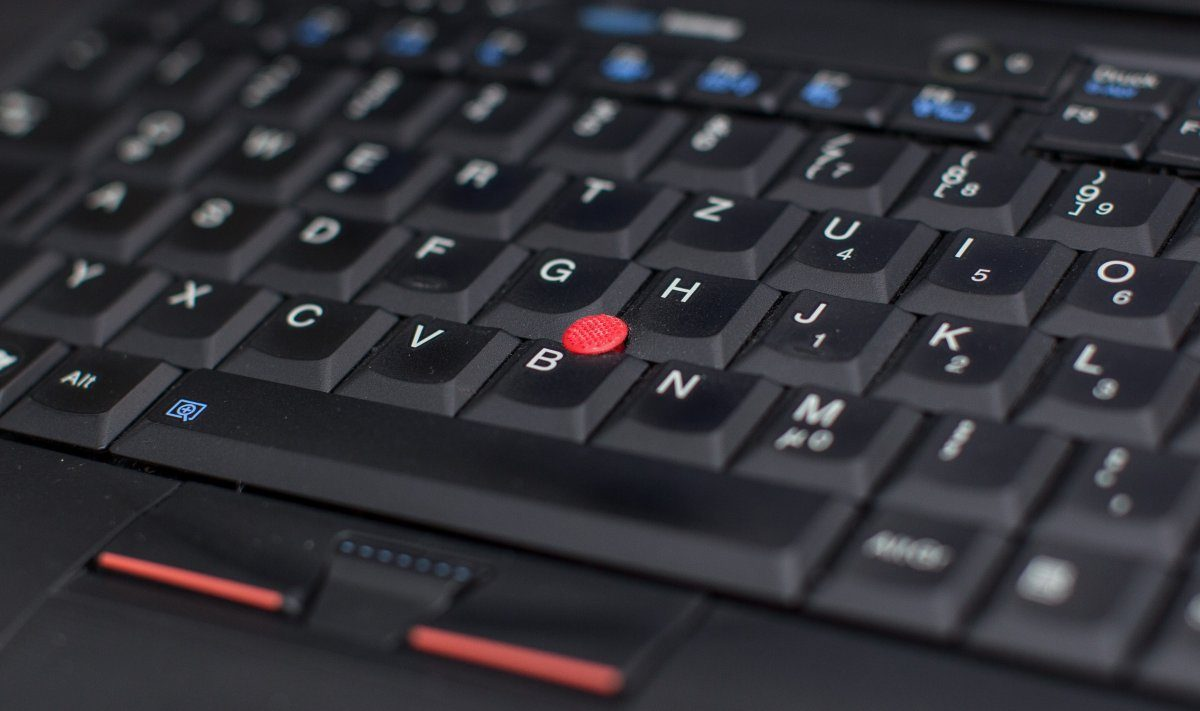
this allows you to do mouse input without moving your fingers away from the keyboard.
It is still a bit of a mental switch, but it is definitely easier than using a mouse or touchpad. It is just right there next to your pointer finger.
Again, I sometimes still forget to use it and just use a touchpad, but it is rare enough that I have to use either that I do not consider that a problem.