All obsidian is supposed to be, is an editor for Markdown . Markdown is a markup language which allows for you to do some simple stuff with your text in an intuitive fashion. Have you ever typed *hello* on discord to make the hello italics ? or **hello** to make it bold ? That’s markdown, and it works in obsidian, hello hello. It works the exact same way.
There are some other bits of markdown you should understand
this makes a heading: # Hello
Hello
doing multiple #\s in a row makes the headings smaller and smaller
Hello
Hello
Hello
Hello
Hello
So thats how you do subheadings, multiple #\s in a row on a new line.
if you want to highlight some text, you can do that like this, which will look like this. It is rare that I need to do this, but if you do, great!
in order to do code blocks, you do this
```
System.out.println(“Hello world”);
```
which will come out looking like this
System.out.println("Hello world");
When you do code blocks, you can specify the language that they are in, and that will give you syntax highlighting. that example was a java code snippet, so if I do
```java
System.out.println(“Hello world”);
```
it will come out looking like
System.out.println("Hello world");which is preferable.
if you need to do a link, I do them like this:
[Link Name](Link URL)
which will come out like this
[Link Name](Link URL)
if you link to a local file, by just dragging it into the workspace, you will see that those links are like this:
with it actually looking like:
you don’t need the URL for a thing in your actual notes, as it will just look through your notes and find the nearest note named whatever you name the link.
as you can see, markdown is very basic. It is not a language like a programming language is, or a real language is, its effectively some quick shortcuts to learn to type formatted text faster.
This is important, because it means that your files in obsidian are entirely portable. You don’t really have any lock-in. All of the files for every note you take are stored directly on your drive, and are human readable in any text editor. They can also be imported into most other platforms you might want to take notes in later in your life. This is crucial, because without it, you are entirely reliant on obsidian continuing to exist in order for you to write or read notes.
This level of control over your notes, where you have all the actual raw files, and can edit them wherever you want, is nice, and obsidian leans into this open dynamic further, with their plugins ecosystem.
Here are the plugins i use:
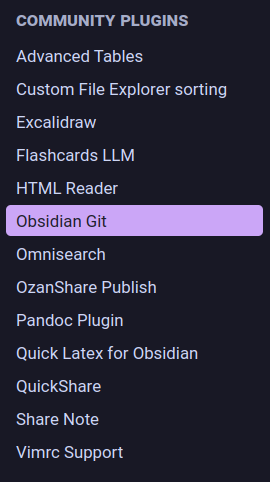
the crucial ones you look at are: Excalidraw Omnisearch Obsidian Git QuickShare ( none of these quick note sharing platforms have support for images, so keep that in mind, but it is easier to just generate links for each note to send to people than to host your own webpage for them. ) Pandoc Plugin ( allows you to export your notes to other formats nicer )
please note: when you use plugins, you are no longer doing that “Only Markdown” thing which makes obsidian files so portable. keep that in mind. Excalidraw files themselves can be viewed in excalidraw.com, so don’t worry about those, but do stay aware of how many tools are required to just read your notes.
crucial bits about excalidraw:
- You can select the individual tools with the number keys 1 - 9, and it is so much better of a way of going about life than clicking the tools manually.
- Clicking and dragging to highlight stuff and then copy and pasting it whenever you need to reuse it is helpful
- you cannot embed excalidraw files themselves into your notes, so you need to choose the auto export to svg option in the excalidraw plugin’s settings
- this option is kinda buried, the excalidraw plugin is HUGE, but its under this option
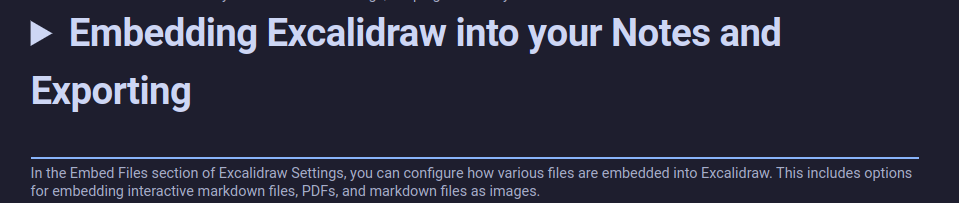
- once youve got it exporting, what you do is you drag the svg file into your notes and embed that, and it will automatically update any time the drawing has changes saved to it.
- this option is kinda buried, the excalidraw plugin is HUGE, but its under this option
- ctrl + and - work to zoom in and out of the page, which is nice.