Kasm Workspaces is a service which you can host on your server to allow you to have remote access to a full operating system via a webui. They use their own VNC protocol KasmVNC and their own images of operating systems. I recommend just going with their ubuntu image for remote access.
I chose to give my kasm vm 100gb of storage, because my current persistent profile is 49gb. I also gave it 16gb of ram, because i have ram to spare. It doesn’t necessarily need that much, but it can definitely use it.
Their installation process can be found here: https://www.kasmweb.com/docs/latest/install/single_server_install.html
but i will paraphrase
for the duration of this I am assuming you are using debian, as all of my proxmox vms are using debian
they have a nice installer script, so just run all this in a terminal
cd /tmp
curl -O https://kasm-static-content.s3.amazonaws.com/kasm_release_1.15.0.06fdc8.tar.gz
tar -xf kasm_release_1.15.0.06fdc8.tar.gz
sudo bash kasm_release/install.sh
a bunch of text will fly by, and then hopefully, you will have kasm workspaces installed
you will see your kasm login credentials after running that install script, should look something like this:
Kasm UI Login Credentials

------------------------------------
  username: [email protected]
  password: balls
------------------------------------
  username: [email protected]
  password: balls
------------------------------------

Kasm Database Credentials
------------------------------------
  username: kasmapp
  password: balls
------------------------------------

Kasm Redis Credentials
------------------------------------
  password: balls
------------------------------------

Kasm Manager Token
------------------------------------
  password: balls
------------------------------------

Kasm Guac Token
------------------------------------
  password: balls
------------------------------------

Service Registration Token
------------------------------------
  password: balls
------------------------------------
except the passwords arent all balls you have to save all of those passwords put them somewhere secure preferably a password manager ( i recommend Vaultwarden )
kasm will be accessible at localhost:443
if you try to go there, you might get a certificate error, on firefox that looks something like this
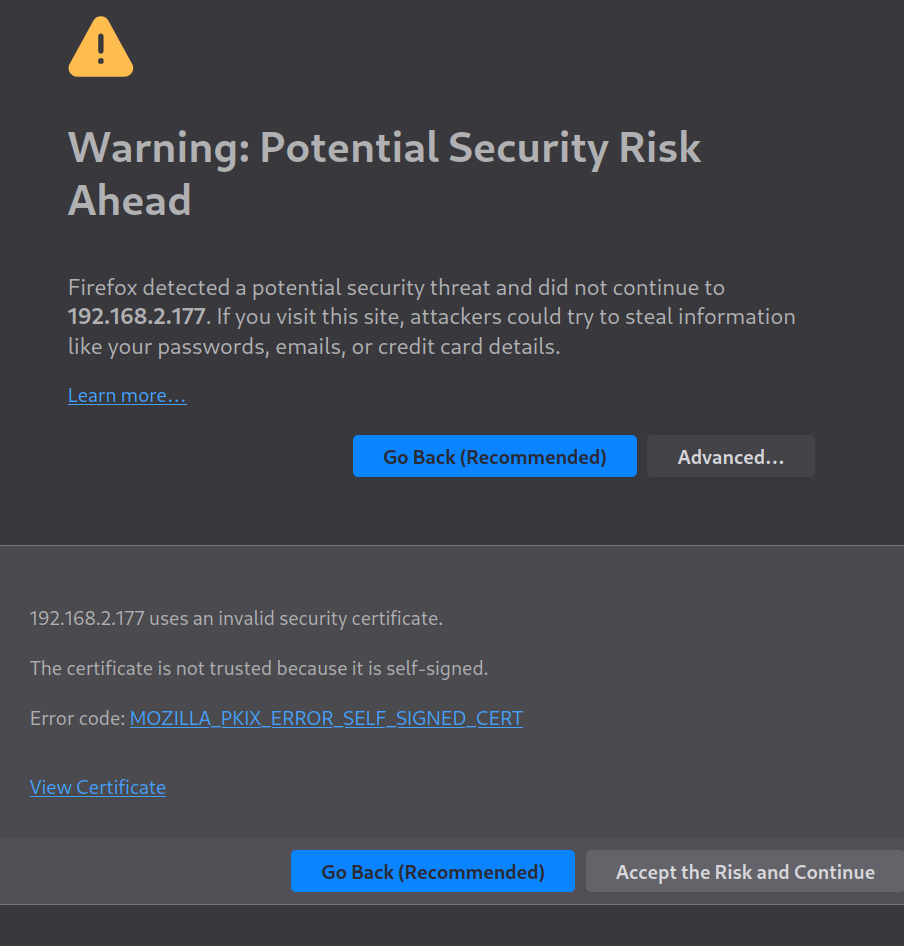
to get around it, click advanced → accept the risk and continue. on chrome its something like more info → continue anyway. I cannot be asked to open chrome.
now sign in with that admin username and admin password from earlier ( [email protected], balls )
assuming you got logged in properly, go to the sidebar on the left and click workspaces → registry
this registry is all the available images you could grab of things that are accessible through kasm. I just go for ubuntu, but the world is your oyster do whatever you want. You will see a few options for ubuntu, I choose ubuntu jammy, as it is the latest version in the kasm workspaces registry at the time of writing.
click on ubuntu jammy ( or whatever you chose ) and click install. it will start downloading it. while it does so, lets head to users in the sidebar.
click on your user → settings → search persistent, and enable allow_persistent_profile. scan through the rest of the options in there too, cause some of them are pretty cool.
kasm’s ubuntu jammy instance wont allow you to run anything as root by default, so go to workspaces → that ubuntu jammy one → edit → scroll down till you see “docker exec config” and paste in the following
{
 "first_launch":{
      "user":"root",
      "cmd":"bash -c 'apt-get update && apt-get install -y sudo && echo \"kasm-user  ALL=(ALL) NOPASSWD: ALL\" >> /etc/sudoers'"
  }
}
oh also, find where it says “Persistent Profile Path” and set that to /home/yourlinuxusername/ubuntu/{username} obviously change yourlinuxusername to be your actual linux username.
then hit the save button in the bottom middle.
there are a few quirks of using kasm, namely that even though you have enabled persistent profiles, that will only persist your home directory. All of the rest of your system will be nuked after your session expires. This means you must learn about installing things into your home directory, and using .local/bin or some similar directory, instead of /usr/bin, for all your binaries. This will break things. I promise you. So many things.
Appimages are your friends, and so are .debs.
to run an appimage, grab your file.appimage and
./file.appimage --appimage-extract
mv squashfs-root myfilefolder
cd myfilefolder
./AppRun
you likely will want to just make a symlink for apprun in your .local/bin, which should be added to your path.
if this sounds complicated, it might be, this stuff should probably be done over the phone. much of it is one time setup though and once you do it you wont have to do it again.
Now, you need to figure out how you wish to expose it I recommend cloudflare tunnels and cloudflare access if you are lucas, you should message me and I will get you set up with that on my domain. if you are not lucas, or do not know me very well in general, then you should buy a domain and setup cloudflare tunnels UNLESS you are at a school which does not have DPI. if you arent using this for school, or your school doesn’t have DPI, then you should use wireguard.
if you are at a school, and your school does have DPI, then amneziavpn’s openvpn + cloak, or xray/v2ray are all options, but they wont perform nearly as well.