Netdata
Netdata is a tool that runs on device and monitors a TON of stuff. Their website is https://netdata.cloud and they have a live demo at https://app.netdata.cloud/spaces/netdata-demo
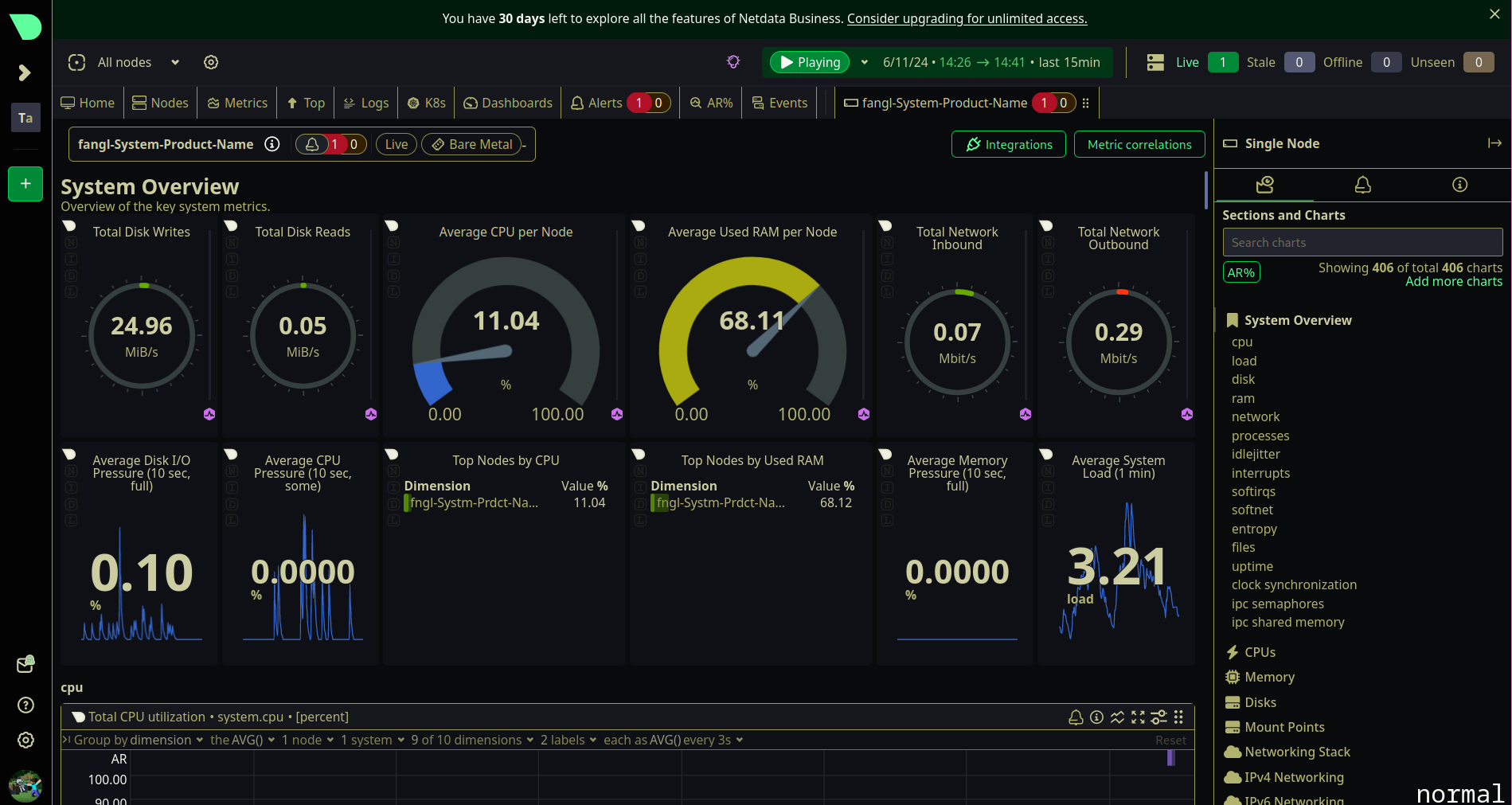
screenshot of my dashboard on netdata to demonstrate the scale of these metrics:
You can install by: following the guide here: https://learn.netdata.cloud/docs/netdata-agent/installation/linux/
or running the kickstart script like this
wget -O /tmp/netdata-kickstart.sh https://get.netdata.cloud/kickstart.sh && sh /tif you want to connect it to netdata cloud, you can attach your token to that too like this:
wget -O /tmp/netdata-kickstart.sh https://get.netdata.cloud/kickstart.sh && sh /tmp/netdata-kickstart.sh --claim-token YOUR_CLAIM_TOKENi have not bothered to do this though and am just manually logging in each time
netdata should be available now at https://localhost:19999
Uptime Kuma
uptime kuma is an uptime monitor you can use to check how consistently up your services are, and can also be a decent alternative to a dashboard for clicking links to your services.
to install:
docker run -d --restart=always -p 3001:3001 -v uptime-kuma:/app/data --name uptime-kuma louislam/uptime-kuma:1in order to later grab the contents of the volume it’s created
docker volume inspect uptime-kuma