Vimjoyer’s video:
In order to enable flakes, throw
nix.settings.experimental-features = [ "nix-command" "flakes" ]into your nixos configuration
flakes are ” a new system for managing your nix ecosystem ”
nix shell lets you make temporary shell environments with packages not present on your system
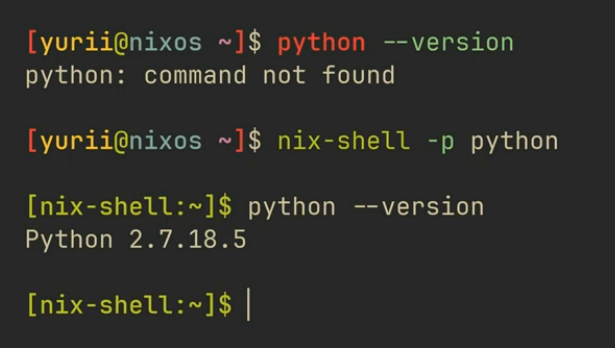
in this example he makes a temporary shell with python available, until he exits.
he can make a shell.nix file to have a more complex shell
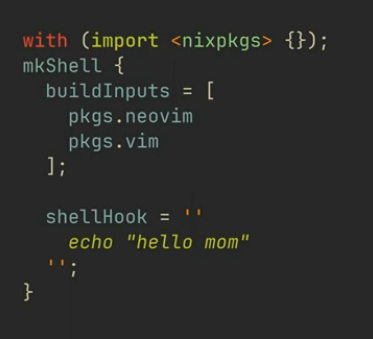
This approach uses your current channel version to import all the nix packages though. which is bad. You have to update it imperatively by running an update command. This means using that same shell.nix file might create a different shell on someone else’s device, depending on their channel. It also means each time you update your channel you might break the shell.
nix flakes and their companion feature nix command are an easy solution for this
in order to setup nix flakes , you need to say
nix flake initit will generate a flake.nix file
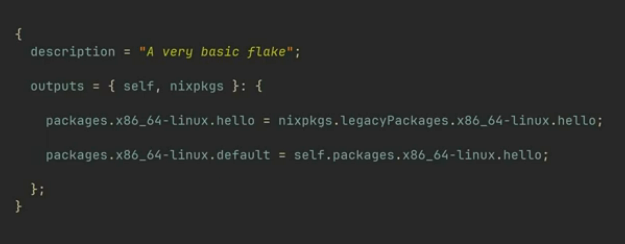
the description is just some text to describe whats going on
and the outputs are some packages
you can use this flake by saying
nix runhe ( vimjoyer ) modifies the file to look like this:
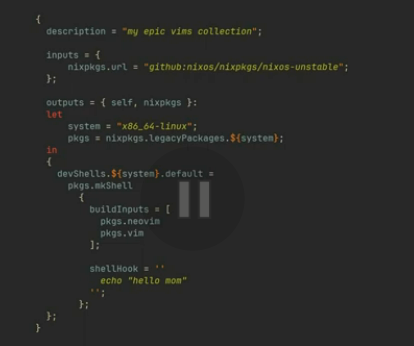
first he fixes up the description and then he sets inputs, which defines the channel to pull from. It looks like this does the same thing as the other way, just pull from nixos unstable ( his channel ), but when you run a flake, it generates a flake.lock file, which defines everything as using a specific version / specific commit of the thing. all flakes will have independent versions of things. If you share your flake, someone will use the same version as you.
running
nix developwill get you your shell
if you want to update the version of the inputs then you say
nix flake updateLibrePhoenix video ( https://www.youtube.com/watch?v=ACybVzRvDhs )
configuration is done in /etc/nixos
hardware-configuration.nix does hardware configuration
configuration.nix is your actual config
mynixos.com lets you search packages on nixos and options on nixos
sudo nixos-rebuild switch to apply updates for changes to your config.
channels → flakes channels are the default way to manage packages but most people in the nix community have been gravitating towards flakes.
flakes:
- exact versions of each package explicitly states in config files
channels:
- exact package version info stored outside config files
flakes allow you to have a time machine to go back in the versions when something breaks.
To setup flakes, we must go into the configuration file, and add the ability to do flakes.
add
nix.settings.experimental-features = [ "nix-command" "flakes"];had me make a ~/.dotfiles directory, and copy my configuration and hardware configuration files into it. Then make a flake.nix.
inputs are: some git repos ( nixpkgs for example )
outputs are: your built and working system configuration
throw nixpkgs in your inputs
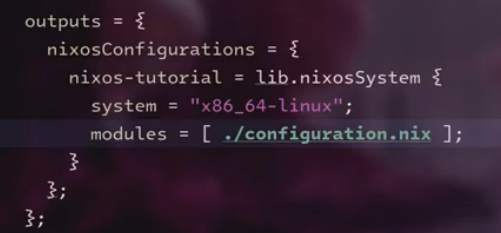
outputs are the configuration defined like