Problem
I have a lot of stuff. I need just about all of that stuff, but some of it I only need every couple or few months. This comes with the territory of being a techie person, but my current system for organizing the stuff is… less than optimal
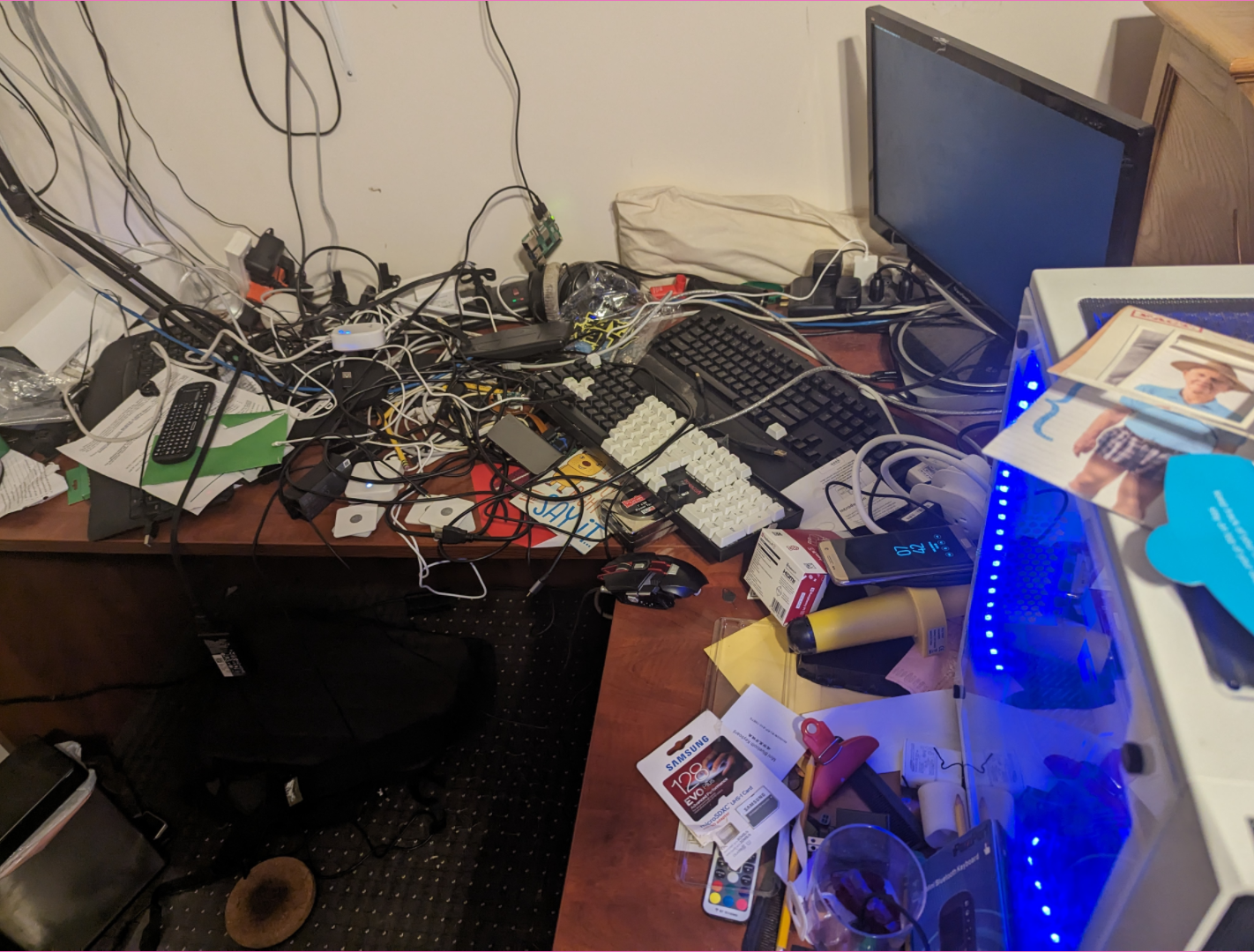
Now, some of that is stuff I don’t need. There are some boxes for stuff and assorted bits of paper that can be thrown away, but the grand majority of it is stuff I need or actively use.
My current system though, is that if its tech stuff ” throw it on my desk ”, and if it is school stuff ” throw it in my bag ” until the semester ends, at which point i throw everything away. All of it is scanned into a paperless ngx instance anyway, so I don’t really need the physical pieces of paper unless a teacher has strong anti computer values.
That’s a terrible system.
I know I wont use anything else though. I have tried to organize myself into shelves or containers or drawers, it just does not work out for me. I stop caring, or I only have a few seconds, and I just drop something where it does not belong.
This means, whenever I need to find something, I have to dig through THAT mess. There is also a crack between the back of my desk and the wall, which means that some of my stuff is just lost back there. There are things I have lost IN MY OWN HOME that I have simply bought more of, because after spending hours looking, I cannot find.
This is unacceptable.
Even normal organization systems though, require vague categories for organizing things together in order for you to know where anything is, so ” cables ” is a big category and then ” hdmi cables ” a smaller one, etc. But what about dongles ? Does a usbc to hdmi dongle go into the hdmi cables category ? or the usbc category ? or even the dongles category?
On the fly, im gonna make the easiest decision I can, so if the hdmi cable drawer is open, it’ll go in the hdmi cables drawer.
Also on the fly, if im using a drawer alot, I will never close it, because why would I do that? It just makes it harder to access it next time ? Why would i want to slow myself down for accessing my own stuff?
So the core issues here are:
- I do not naturally organize my physical belongings
- I cannot find my physical belongings, OFTEN
- I would not be able to maintain any physical item organization system that I set for myself, unless it did a LOT of the work for me.
Idea
So, the common solutions to the problem of “im not organized”, ” i cant find ”, and ” i cant maintain ”, are ” sort ”, ” search ”, and ” automate “.
Why can’t I do those?
There are a number of existing projects for this, with a number of varying implementations
https://www.instructables.com/StorageBot-voice-controlled-robotic-parts-finder/ https://orbitingprojects.blogspot.com/2012/05/light-it-up-component-organizer.html https://www.youtube.com/watch?v=7C4i-2IqSS4 https://www.youtube.com/watch?v=7WAhquGQq3o&t=1411s&pp=ygUJbGl0ZmluaXR5
I like some of the features of these, and I dislike some of the others.
Voidstar Labs usually does a pretty good job on this kind of thing, and he actually came up with the gridfinity project - https://gridfinity.xyz/catalog/ which has largely solved the storage problem for 3d printing enthusiasts. It does some cool stuff, but none of the cool stuff is really what I want. It does not implement search, or a database of items. His video linked in that blurb above though, ( https://www.youtube.com/watch?v=7WAhquGQq3o&t=1411s&pp=ygUJbGl0ZmluaXR5 ) does. There are a number of drawbacks to his approach, and a number of advantages.
Advantages:
- Looks cool
- search works great
- you can search PER CONTAINER for something, so i can show that a screwdriver is in a specific section of a specific container.
- integrated with gridfinity and has an nfc card system for identifying the containers, so he can track where any given container is even if it is moved.
- integrated with homeassistant, so he can have stuff like putting a specific container in a specific grid location trigger actions in his home like ” turning the lights off ” or more importantly “opening a secret door”
Disadvantages:
- the way he is adding stuff looks clunky and terrible and i hate it. I do not want to have to type to add a thing to my storage.
- the way he is tracking stuff i would immediately ruin
- his solution looks EXPENSIVE
- his solution is COMPLEX
- his solution requires a lot of 3D printing, and not with consumer or hobbyist grade 3d printers, like actual fancy proper 3d printers. He wants to make a conveyor belt out of it. this is entirely out of the scope of my project.
I don’t particularly care about searching per container, as each container should be small enough that i can find stuff within it once i know something is in that given container.
I don’t particularly need an nfc integration or a gridfinity integration. As I do not own a 3D printer, I don’t really gain anything from sticking to the gridfinity spec.
Good search I do need though, and I do want it to look cool. My look cool will likely be different than his look cool.
I need tracking stuff to be more automated than he is doing. I will outline this further on.
Storagebot - another one of those existing implementations ( https://www.instructables.com/StorageBot-voice-controlled-robotic-parts-finder/ ) does a lot of the stuff I want, just painstakingly slow.
It has a UI for search, It can search for multiple things at once ( think ” cables ” to search for all cables, not just hdmi cables. ), and it can actually push out the containers for the relevant stuff, which is cool. The drawers being pushed out also means that when im done with them, i put the stuff back in them, and push them back in. They would be left pushed out until I knew I was done with them, which would be good for my organization. The problem here is, that pushing things out requires moving parts. What he is doing requires a LOT of moving parts. Like, he has an entire rail system for the thing that pushes stuff out, so it can move across x and y to navigate to the slot it needs to push out.
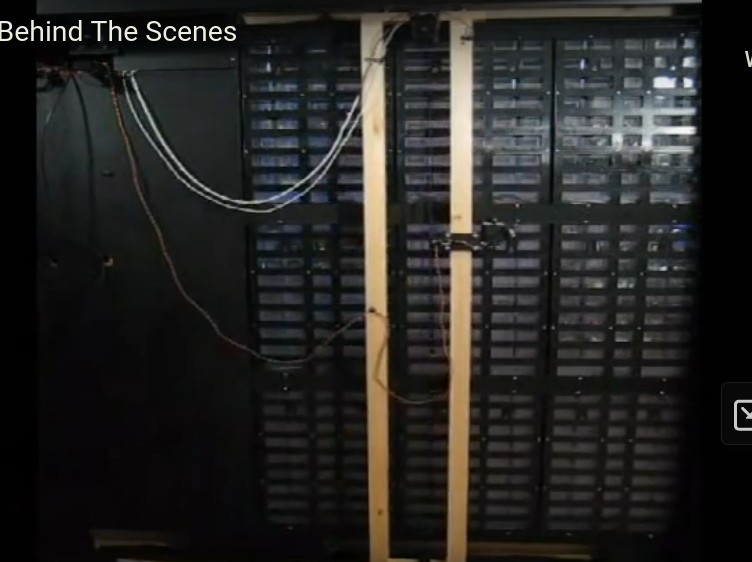
This is more work than I wish to do. Pushing things out is a feature im completely willing to forego if this is the amount of work required. I am also willing to forego it if I need to setup a switchbot like device for each container. Really i am very willing to give up on that feature as a whole.
Storagebot also has voice control, which is rad, and I do want, but I want mine to be less clunky, and never give voice feedback. I hate it when computers talk to me, especially when they are stupid. I am not gonna build AGI for my storage system, so its probably gonna be stupid. Storagebot’s looks like it would infuriate me. Voice control would be real nice though and I have plans for how I would do it.
Mellow_Labs’ solution is dirt cheap, open source, and the core functionality is there. He can light up the areas behind small containers. His way of getting there is a little extreme, and I do not need to follow fully in his footsteps, but its certainly a cool system. What he did was he got a 100 LED strip of individually addressable LEDs, cut that strip up, and mounted one LED behind each slot, and then soldered wires onto each of them linking them together, to create one big array very spaced out. He claims that took him about 4 hours. It would take me longer. I could totally just splurge on more spaced out LEDs though, or, a longer strip of LEDS. Or, a strip of LEDS for each column and each row.
He implemented a web interface, which I hated looking at. He is manually entering each item into a database, and searching up a picture on the internet for each item. That’s too much work to put a thing in a drawer. I simply will not be doing that.
You may read that sentence and think ” tough luck. You don’t want to enter shit into your database, then you dont have a database at all do you. You have an empty list. Loser. “. You would be thinking stupidly though, and very meanly, and I would be a little hurt.
How and What I would like to implement
So, the clear things I need are:
- cubbies / drawers / containers in which my stuff goes
- LED lights on those containers which can be programmed by a computer on the fly to show different colors
- a database of all the stuff in all the containers, with a variety of category labels on each, and the associated range of led lights, or index of led lights.
- A CLI program that can search that database, and then set those led lights to a specific color if they are relevant to my search.
- Dictation support at a basic level
- “{name} find screwdriver” ( yes im going to name it )
- “{name} add hdmi cable”
- “{name} remove hdmi cable”
- “{name} find cables”
Nice to haves:
- A way to push out cubbies when they are needed
- a way to detect when an item is removed
- barcodes ?
- nfc ?
- rfid ?
- all of these above require tagging of each item, like im doing actual inventory management, which i have a strong distaste for the idea of doing.
- camera integrated into the roof of the container which detects when things are removed and then uses the differences in still images before and after, along with the list of what SHOULD be in there, to figure out what was removed
- this would be done through a LLM with vision, like Gemini or GPT4 or Claude 3.
- could also possibly be done through just opencv
- this would be a camera for EVERY SINGLE CUBBYHOLE though, which i do hate. too many cameras. even if they were shitty ones.
- integration with homeassistant, though i have yet to setup homeassistant, I know will matter to me later on in life.
Implementation options
Cubbies
for cubbies, any organizer would do, but I would like for their front panel to be entirely customizable.
LED Strips options
highlighting underneath:

this would mean i would have my cubbies, and then a little space for an LED strip to live. One LED strip per row, with individually addressable LEDs so that I can light up any section I need.
highlighting above:

similar idea
highlighting above and below:
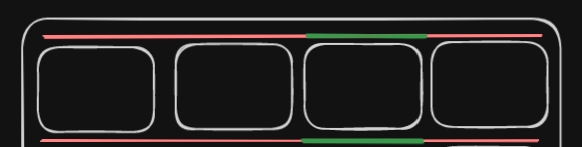
this means buying double the LED strips, but might make it clearer which bin im referring to with the search.
highlighting from behind, with transparent containers:
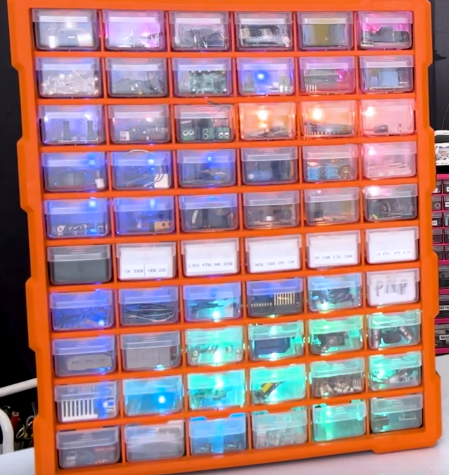
^ this is not my picture, this is the Mellow_Lab’s solutions picture. i think this is ugly - too like 2009 techie. I do want it to feel clean to some degree, or atleast for it to have a chance to feel clean. it is possible i will never truly polish it to a clean state.
highlighting from behind, with containers as diffusion:
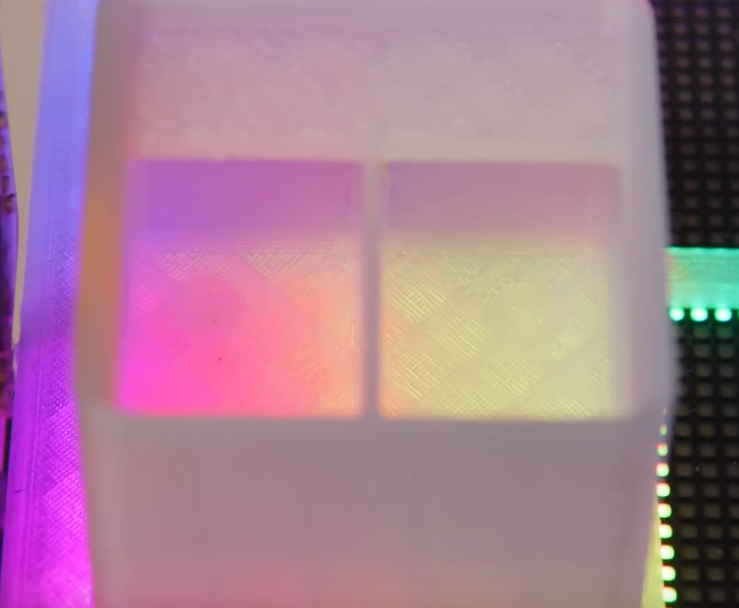
I know this is really bad as a photo, There’s not a ton I can do there, he does not show a lot of wide views of the working project. You can see though, the plastic is not transparent, it is just spreading out the effect of that LED matrix below it.
LEDs in the container front panel
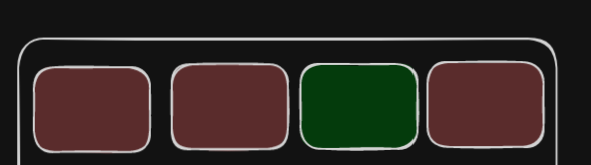
this one proposes design challenges - how am i powering those LEDs? pogo pins are my instinct, as they will need to come off and on and off and on of them, so it needs to be a decent standard. using an actual connector like usbc would be likely finnicky.
i view this solution as the best looking, and likely the best fitting my mission, but likely out of scope.
I spoke to some friends, and one suggested running having the LEDs in the front panel ( which i like ) and then running power out to the back ( sofar so good ) and connecting that power over some interface ( he said microusb i said usbc ). This implies the cubbies will only ever slot into one place one way, and will never be far enough off ( tilt or anything like that ) to fail to connect to the usbc plug. I do not know if this is the case.
I also do not know if me setting up, call it 20 cubbies for the initial one, with usbc male connectors on each, and usbc ports on the back of the rack they are in for power and data, is a reasonable thing to expect. Making one cubby might be easy, and a thing that can be done in an hour, but i do not know that I want to spend 20 hours making cubbies. or 60. This would have to be a 5-10 minute process max to make each cubby.
database of stuff in containers
I have a number of options here, but my instinct is to just do what I did for people points. plain text file with 2d arrays in it. I still dont know SQL. I am hoping this CPCC class teaches me SQL. Until then though, 2d arrays in a text file work.
Adding stuff to the database will be done through dictation, or through gpt vision + a button. so i would have a scan button, and then a little tray, and i would set the item on the tray, and a camera from above would scan the item. Raspberry pi cameras are very cheap and so are raspberry pis. one raspberry pi could run this entire system.
The raspberry pi would not be doing the image classification itself though, it would offload that to gpt vision or claude 3 or gemini.
i would be searching that database either by voice or by input to a cli program running on a laptop i would likely keep near there. infact, the laptop could be the raspberry pi. i do not need an actual raspberry pi. a laptop I already own + a webcam would be plenty.
Adding via dictation would be done like “add hdmi cable”, it would then highlight a drawer for me to put it in, preferably one near the other hdmi cables, or atleast other cables, and i would put it in there. It would then generate a few alternative containers for hdmi cable, namely ” cable ” ” hdmi ” ” male to male ” etc .
adding via scan would be done like vision model describe this item in depth | language model what is this discussing ? answer with just a product name, no explanation or extra english stuff. ( this is the item name ) | language model which of the following categorizations does this cable meet {insert list of all existing categorizations} ( if language model hallucinates a new categorization, thats fine, just add a new one. ) it would then highlight where i should put the thing.
my concern with both dictation and scan adding is that it might take a while to do voice model transcription and it might take a while to do multimodal language model vision. these things are getting faster all the time, but i would really like to make this as fast of a workflow as possible.
detection of removal i think is a hard problem - there are a few ways im considering approaching it.
- logging whenever a cubby
CLI program for searching database
easy money. python script. interacts with that text file based database. finds the column associated with what i want, then finds that same index in the led array, and turns that thang on. simple business. also would implement adding removing and all that into the cli program, but mainly just so i could do it from my phone over ssh.
Dictation support
openai whisper simple stuff fast enough if ran locally likely. would have to be ran off the main server pc though https://github.com/openai/whisper/discussions/1463 https://www.reddit.com/r/selfhosted/comments/z6r9x1/webui_for_whisper_an_awesome_audio_transcription/
google cloud and ms azure also offer speech to text apis if i do not wish to selfhost for server resources reasons.