MySpeed measures my internet speed every hour so I can notice differences over time.
This one is pretty simple
Assuming we are using the template already configured, just
docker run -d -p 5216:5216 -v myspeed:/myspeed/data --restart=unless-stopped --name MySpeed germannewsmaker/myspeed
it is now on port 5216
when you open it up, you have to choose a protocol and set expected speeds. I got best results on cloudflare and ookla, librespeed was suuuper slow on download (1.74mbps) but fine on upload(99mbps), which was weird.
ok it broke
I have no clue why right now, but the docker install broke, kept giving me this:
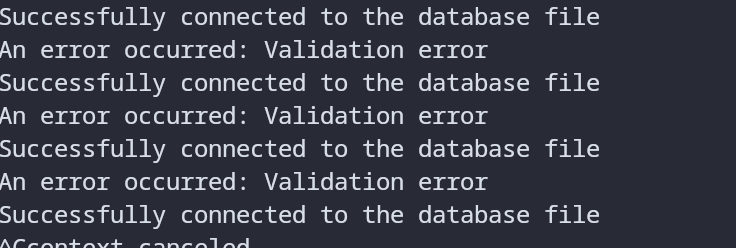
that could mean drive failure, but it could mean a lot of things, so im just gonna not worry about it.
I have reinstalled with the manual installer
bash <(curl -sSL https://install.myspeed.dev)--------- MySpeed Installation ---------
Welcome to MySpeed Installation Script!
Do you want to install MySpeed with Docker or the normal installation script?
[1] Docker (Recommended)
[2] Normal Install Script
Enter your choice (1/2): 2
Running normal installation script...
--------- Automatic Installation ---------
MySpeed is now being installed.
Version: MySpeed Release
Location: /opt/myspeed
Installation will start in 5 seconds...
----------------------------------------------