Now that you have completed your https://divonbriesen.github.io/teaching/introduction-form.html assignment, we need to send your introduction data to some central place, so we can build apps using everyone’s introductions.
For this class, that will be https://intro-form.tommyhost.ing/
if you click on that link, you should see something like:
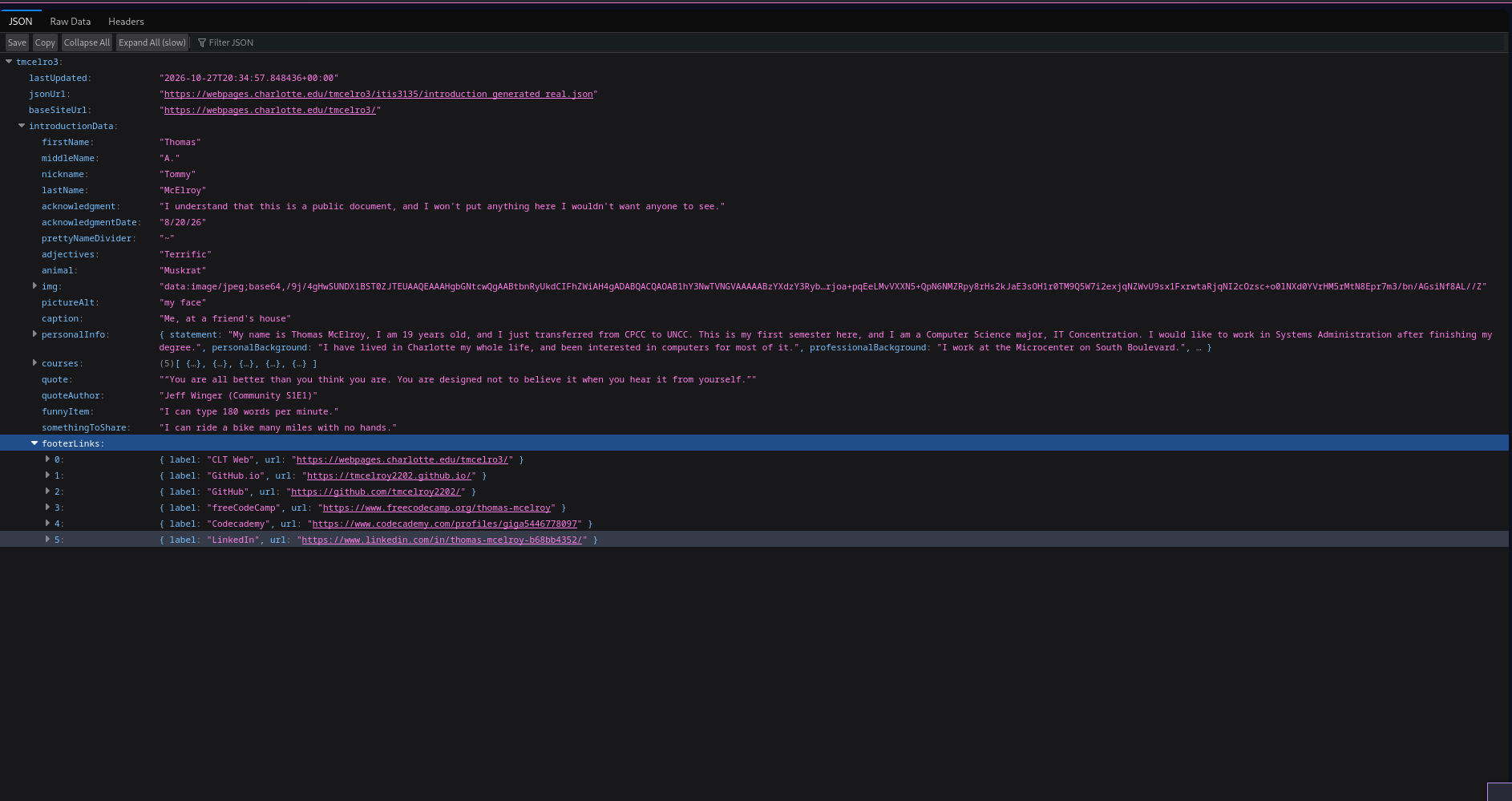
in your browser, though yours may not be as pretty as mine.
You will recognize that inner “introductionData” bit as the json format from introduction form assignment.
For this assignment you need to:
- Go to your introduction form, and generate the json, with your default values, which should generate the json for your introduction form.
- Copy the json it generates
- Open your text editor of choice ( E.g. notepad, vscode, vim ) and paste in the json
- Save the file in your itis3135 folder as introduction_generated.json
- Open filezilla, and drag that file to the webpages url. Also push the file to github.
- Pull up your webpages, or github url, for that file, whichever you prefer. For me, that’s: https://webpages.charlotte.edu/tmcelro3/itis3135/introduction_generated_real.json. Keep that url open.
- Then also open up your introduction form page, for me that’s https://webpages.charlotte.edu/tmcelro3/itis3135/introduction_form_real.html
- Open devtools by hitting ctrl + shift + i
- Click Console
We are now going to make a post request to submit your introduction data to my api, so run this command in the console
const response = await fetch("https://intro-form.tommyhost.ing", {
	method: "POST",
	headers: { "Content-Type": "application/json" },
	body: JSON.stringify({ json_url: "https://webpages.charlotte.edu/yourusername/itis3135/introduction_generated.json" })
});
const result = await response.json();
Subbing in the data in that command, for the relevant data for your site. so, for me:
const response = await fetch("https://intro-form.tommyhost.ing", {
	method: "POST",
	headers: { "Content-Type": "application/json" },
	body: JSON.stringify({ json_url: "https://webpages.charlotte.edu/tmcelro3/itis3135/introduction_generated_real.json" })
});
const result = await response.json();
You are then looking for a response like:
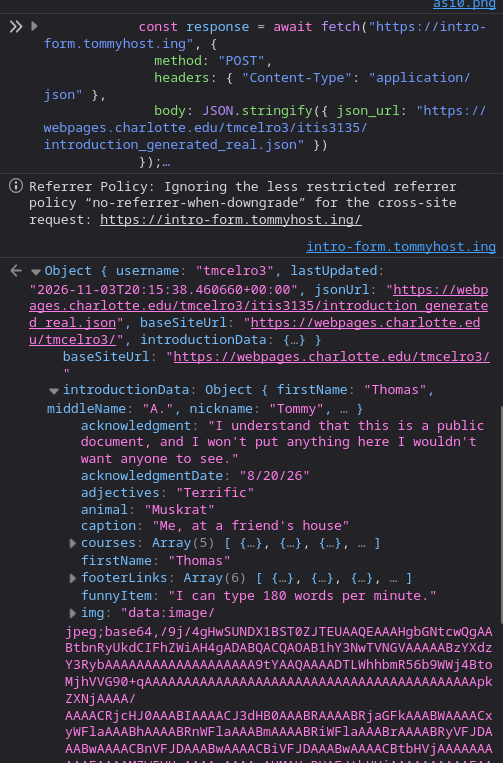
Which indicates that your data has been posted to the APi. If you get an error, that would look like:
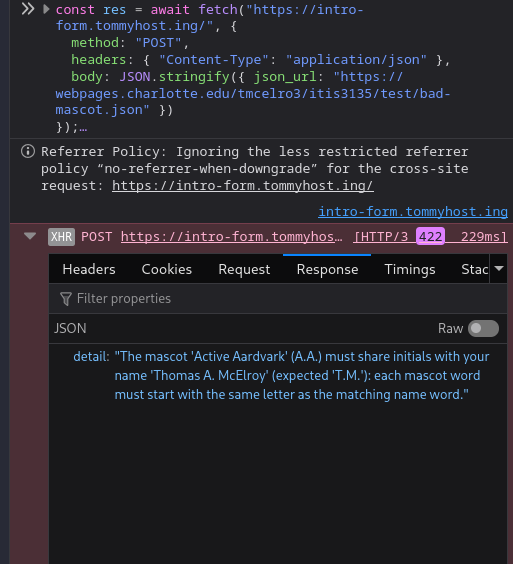
And you would need to check the response to figure out why your thing was rejected. You can tell it is an error because you do not get back a response showing your successfully added entry.
Now that you have submitted your data, open up https://intro-form.tommyhost.ing/ in your browser, and see if you can find your entry. If you can, you are all done!